
Help centre
Sell over the counter
Open a till, ring up sales in cash or by card, print the receipt, and count the drawer at the end of the shift.
5 min read6 steps
The till is not a second set of books. Every sale it rings up is an ordinary tax invoice, posted and settled at once by a receipt into the drawer or the card account, so the ledger, the VAT return and the stock all know about it the moment the customer leaves.
Step by step
- 1
Set the till up once
Settings › Point of sale. Choose the cash drawer account, the bank account card takings land in, the counter customer a walk-in sale is addressed to, the shop, and the usual opening float. Without a card account the till takes cash only.
- 2
Open a shift
Point of sale › Open the till. Say which shop you are selling from and how much is in the drawer. Everything rung up after this belongs to the shift until it is counted.
- 3
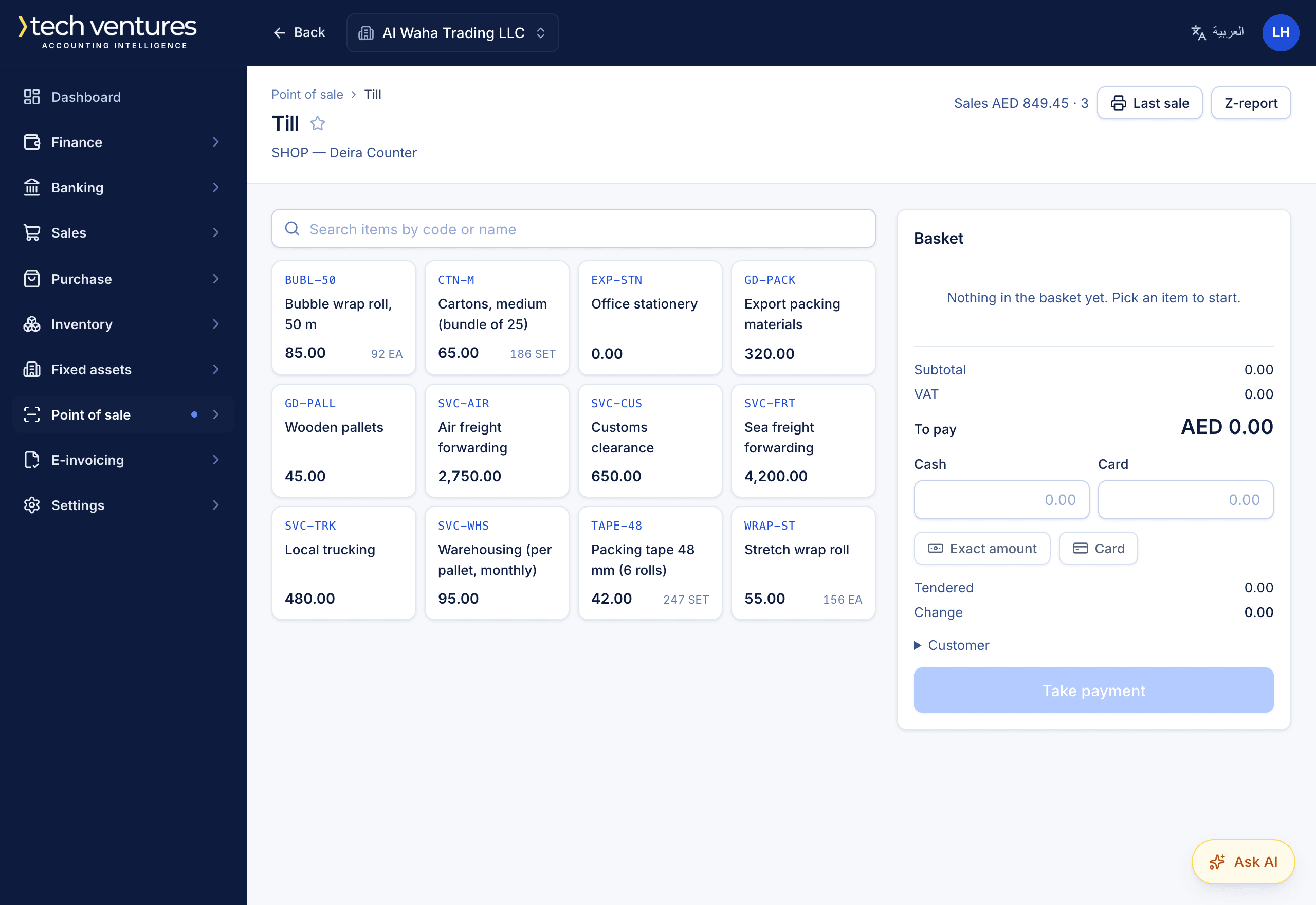
Ring up a sale
Search or pick items and they go into the basket at their price and tax code; change the quantity or remove a line as you go. Leave the customer on walk-in unless the buyer wants the invoice in their own name.
- 4
Take payment
Cash, card, or both. Enter what was handed over and the till works out the change. Taking payment posts the invoice and the receipt together; goods leave the shop's stock at the same moment.
- 5
Hand over a receipt
Print the receipt on a till printer, email it, or print the full A4 tax invoice for a customer who needs one.
- 6
Count the drawer and close
Count what is in the drawer and close the shift. The Z-report shows sales, VAT, what was taken by cash and by card, the cash expected and the cash counted. A difference posts to cash short or over, so the cash account means what it says the moment the till closes.
Questions about this
How do I refund a counter sale?
Raise a credit note against the sale's invoice, as you would for any customer. It shows on the shift's Z-report, and the goods go back into stock.
Can two people use the same till?
Each person runs their own shift, one at a time, so “what is in my drawer” has one answer. Two people at one counter open two shifts.
Do counter sales go into the VAT return?
Yes. They are tax invoices like any other, posted to the same accounts, so the VAT 201 includes them with nothing to export or import.