
Help centre
Customers, vendors, items and groups
Set up the masters once so every document after it fills itself in correctly.
5 min read5 steps
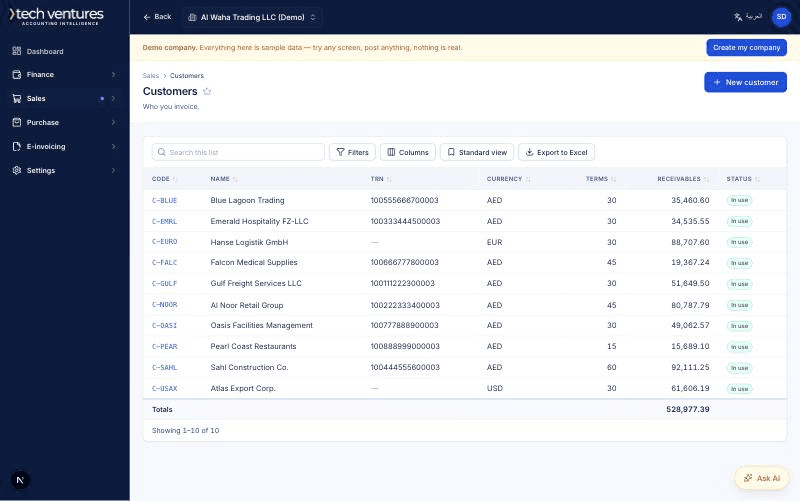
Masters are where the defaults live. A customer carries its currency, its payment terms, its credit limit and its receivable account; an item carries its price, its tax code and its income account. Get these right and an invoice becomes three fields and a quantity.
Step by step
- 1
Create the groups first
Customers, vendors, banks and items can each be grouped — Local customers, Export customers, Raw materials, Finished goods, whatever the business already calls them. A group carries a default chart of accounts, so every member of it posts to the right place without anybody choosing an account on a document.
- 2
Add a customer
Code, legal name, TRN, currency and payment terms. The currency set here is the one every new invoice for that customer opens in, and the price of an item is converted into it at the rate on the document date — so an AED price list stays an AED price list even when the invoice is in USD.
- 3
Set a credit limit, if the business works that way
The limit is checked as the invoice is posted, against what the ledger says is outstanding, not against a cached figure. Leave it blank for a customer who pays up front.
- 4
Add items
An item is either goods or a service. Goods can be tracked, which means the system holds them in inventory when you buy and charges them to cost of sales when you sell. A service is never tracked.
- 5
Decide the costing method
Weighted average or FIFO, set once per company in Inventory settings. Weighted average is simpler to explain; FIFO matches what most UAE auditors expect for goods with a shelf life. Choose before the first purchase is posted.
Questions about this
Can a customer also be a vendor?
Create both records, with the same name and TRN. The books keep what you owe them and what they owe you apart, which is what the balance sheet needs; offsetting the two is a journal you post deliberately, not something that happens by itself.
What happens if I change an item's price?
Only documents raised after the change use the new price. Posted documents are never re-priced.
Can I delete a customer?
Only one with no documents against it. A customer that has traded is deactivated instead, which takes it out of the pickers and leaves the history intact.