
Help centre
Raise and post a sales invoice
From an empty invoice to a posted journal entry, and what to do when it was wrong.
7 min read6 steps
An invoice is a document until it is posted. Posting is the moment it becomes a financial fact: a balanced journal entry debiting the customer and crediting income and VAT. Before that it changes nothing, and after that it cannot be edited.
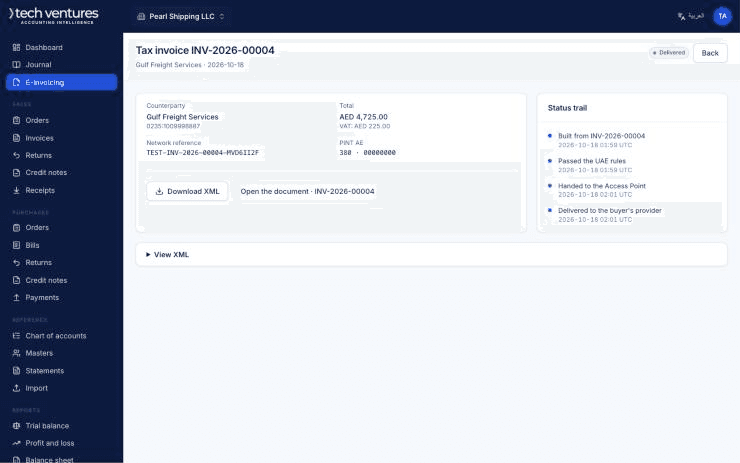
Step by step
- 1
Start the invoice
Sales, then Invoices, then New. Pick the customer and the document opens in their currency with their payment terms already applied, so the due date is filled in before you have typed anything.
- 2
Add the lines
Pick an item and the description, price, tax code and income account arrive with it. Quantity and discount are yours. The VAT for each line and the document total build up as you type, in both the document currency and the base currency.
- 3
Check the totals against the customer's expectation
Net, VAT and gross are shown separately, and the base-currency equivalent beside them at the document's exchange rate. If the rate is wrong, change it here — it is what the ledger will be written in.
- 4
Save as a draft, or post
A draft can be edited and deleted and affects nothing. Posting writes the journal entry, locks the document, and — for a VAT-registered company in scope — queues the e-invoice for the network.
- 5
Correct it by reversal, never by editing
If a posted invoice is wrong, reverse it. The reversal writes an opposite entry on today's date, marks the original reversed, and leaves both in the ledger. That is the trail an auditor needs; an edited invoice leaves none.
- 6
Credit the customer when the goods come back
A credit note is raised against a specific invoice and cannot exceed what is left on it, so a customer can never be credited twice for one sale. A credit note against an invoice that has already been reversed is refused — there is nothing left to credit.
Questions about this
Why can I not edit a posted invoice?
Because the ledger is the record. A posted entry and its document are immutable by design; the correction is a reversal, which shows what happened and when somebody noticed.
The invoice is in USD but my prices are in AED.
That is the normal case. Prices are held in the base currency and converted at the document's rate, so what you type in the price column is already in the invoice's currency.
Can I post into last year?
Only while that period is open. Nothing posts into a closed period — not a correction, not a reversal, not a journal.