
Help centre
Set up a new company
From an empty account to a company with a chart of accounts, a tax registration and a numbering series ready to post against.
6 min read6 steps
A company in this system owns everything: its own chart of accounts, its own customers, its own documents and its own ledger. Nothing is shared between companies, so the first thing to get right is which company you are in — the name sits at the top of every screen.
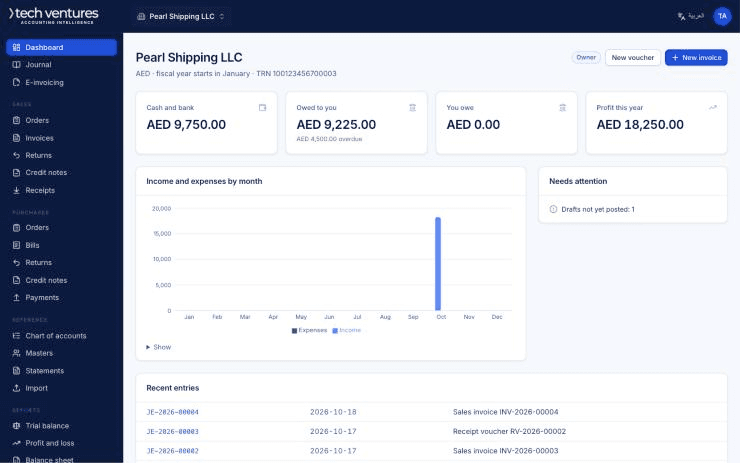
Step by step
- 1
Create the company
Sign in and choose Create company. You are asked how you want to start: from scratch, as a copy of a company you already run, or as a demo filled with example data to practise on. A copy brings the chart of accounts, tax codes, customers, vendors and items — and deliberately leaves transactions and opening balances behind.
- 2
Enter the legal details
Legal name exactly as it appears on the trade licence, the trade licence number, the TRN if the company is VAT registered, and the address. These print on every invoice and go into every e-invoice, so an abbreviation here becomes an abbreviation on a tax document.
- 3
Apply the UAE default configuration
One button fills in the standard UAE chart of accounts, the VAT codes (5% standard, 0% zero-rated, exempt, out of scope, reverse charge), the usual cost centres and the document numbering series. It only adds, so it is safe on a company that already has a few accounts.
- 4
Set the base currency and the financial year
AED for almost every UAE company. The financial year decides which period a document falls in and when a year can be closed; it cannot be changed once entries are posted, so check it now rather than in March.
- 5
Check the numbering
Each document type has its own series — sales invoices, purchase invoices, credit notes, journals, receipts and payments. Set the prefix and the next number to continue from whatever your old system reached, so the audit trail does not restart at 1.
- 6
Invite the people who will use it
Users are unlimited. Give each person the narrowest role that lets them do their job: a data-entry user who cannot post is a cheaper mistake than one who can.
Questions about this
Can I change the company name later?
Yes, and it takes effect on documents printed from then on. Documents already posted keep the name they were issued under, which is what a tax auditor expects to see.
What if I apply the UAE defaults twice?
Nothing is duplicated. Accounts, tax codes and series that already exist are left alone and only the missing ones are added.
Do I have to use the standard chart of accounts?
No. Add, rename and regroup accounts freely. The few accounts the system posts to by itself — receivables, payables, VAT, retained earnings, inventory, cost of goods sold — are identified by a role, so you can point that role at your own account.