
Video guides
Learn Accounting Intelligence in a minute at a time
Short, narrated videos that walk through one task each, on the real product: from setting up your company to sending your first e-invoice.
Getting started
 4:21
Accounting Intelligence in five minutes
A five-minute tour of Accounting Intelligence on a sample UAE trading company: the dashboard, a sales invoice from start to posted and the journal entry it makes, profit and loss with a drill-down to the entries, balance sheet, trial balance, cash flow, the VAT 201 return, banking, inventory and e-invoicing.
 2:33
The interface: finding your way around
Find your way around Accounting Intelligence: the main menu and its modules, collapsing the menu, the menu search (Ctrl+K), switching company, English and Arabic, dashboard quick actions, starring a screen, help and support, and a list screen's search, filters, columns and export to Excel.
 2:39
Accounting Intelligence modules at a glance
A high-level tour of every module in Accounting Intelligence and what it does: Finance, Banking, VAT and UAE e-invoicing, Payroll, Sales, Purchase, Inventory, Production, Projects, Service management, Fixed assets, Rental, Point of sale and Settings. Every module writes to one general ledger, so the reports always agree.
 2:09
Sign up and create your company
Sign up for Accounting Intelligence, confirm your email, explore the sample company made for you, then create your own company: pick the industry, and the UAE chart of accounts, tax codes and numbering are set up for it.
 1:50
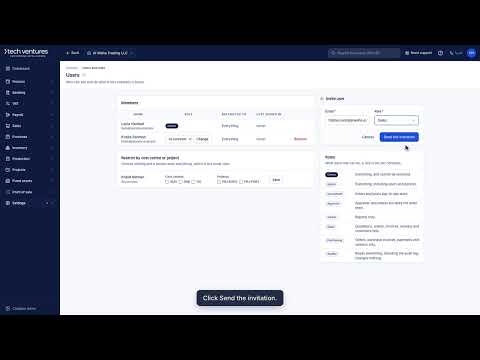
Add users and give them access
Invite people to a company in Accounting Intelligence, choose each one's role (Admin, Accountant, Approver, Viewer, Sales, Purchasing or Auditor), change a role later, and restrict a person to chosen cost centres or projects.
 1:47
Import your data from Excel
Bring your existing data into Accounting Intelligence from a spreadsheet: download the template, fill it in Excel and save it as CSV, upload it, read what was added, updated or skipped, and import vendors, items, the chart of accounts and draft documents the same way.
 1:53
Enter opening balances
Enter opening balances in Accounting Intelligence: the as-at date, each account's debit or credit balance, what each customer owed and each vendor was owed, how a difference is taken to retained earnings, the Excel template, and posting them as one journal entry.
 1:48
Connect Claude to your company
Connect Claude to a company in Accounting Intelligence: download the skill, make a read-only company key, give both to Claude, connect several companies, ask for reports, and revoke a key when it is no longer needed.
 2:29
Company settings: logo, address, number series and payment terms
Set up a company in Accounting Intelligence: its name, TRN, trade licence and address, approval before posting, the logo and what printed documents carry, the number series for every transaction, and the payment terms customers and vendors are given.
Sales
 1:56
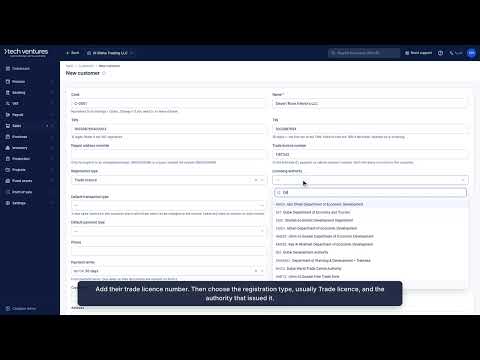
How to create a customer
Add a customer in Accounting Intelligence with everything a UAE tax invoice and e-invoice needs: TRN and TIN, trade licence, registration type and licensing authority, e-invoicing defaults, contact details and address.
 1:50
Create an item or service
Add an item or a service in Accounting Intelligence: kind, unit, sales price, income account, default VAT code, and the e-invoicing item type and service accounting code, so every invoice line that uses it is coded the same way.
 2:10
Create a sales invoice
Create and post a sales invoice in Accounting Intelligence: choose the customer, set the dates and reference, add item lines with quantity, price and VAT, fill the e-invoicing details, and post it to the ledger as a numbered UAE tax invoice.
 1:28
Record a customer payment
Record money received from a customer in Accounting Intelligence: choose the customer, settle their open invoices in full or in part, choose the bank account it went into, add the transfer reference and post the receipt to the ledger.
 2:08
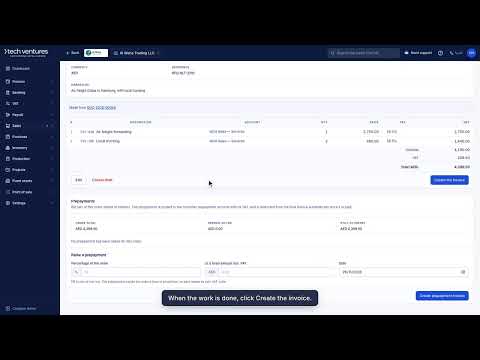
Issue a credit note
Issue a sales credit note in Accounting Intelligence: choose the customer and the invoice it reduces, add the line being credited, fill the e-invoicing details and the reason for the credit, post it to the ledger, and apply it against the invoice so the customer owes that much less.
 2:38
Quotation to sales order to invoice
Take a sale from quotation to invoice in Accounting Intelligence: make a quotation with a validity date, turn it into a sales order when the customer accepts, then create the invoice from the order, fill the e-invoicing details and post it. Lines, prices and the reference carry through each step.
 2:01
Send a customer statement and a payment reminder
Send customer statements and payment reminders in Accounting Intelligence: open a customer's statement for a period, with every invoice, credit and payment and a running balance, print it or email it, then use Customer reminders to send the overdue customers their statement and outstanding invoices in one go.
 2:18
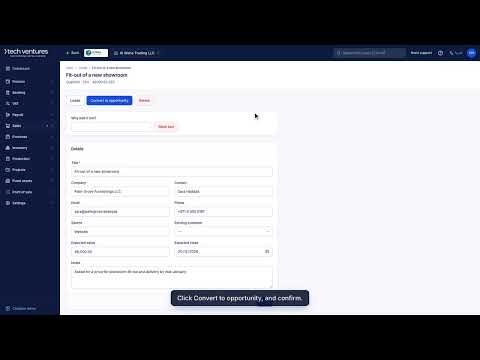
Leads and opportunities
Track possible sales in Accounting Intelligence: add a lead with its contact, source, expected value and close date, move it along the board as you talk to them, convert it into an opportunity, and create a draft quotation from it, with the customer made from the lead.
 2:12
Invoice in a foreign currency
Invoice a customer in euros, dollars or any other currency in Accounting Intelligence: the currency comes from the customer, the exchange rate for the invoice date is filled in and can be changed, prices are converted, an export is zero rated, and the journal entry is written in dirhams.
 3:11
Customer prepayments
Take a deposit from a customer in Accounting Intelligence: raise a prepayment invoice for a share of a sales order, post it with its VAT to the customer prepayments account, record the customer's payment, then invoice the order in full with the prepayment deducted and the prepaid amount on the e-invoice.
UAE e-invoicing
 2:13
Switch on e-invoicing
Switch on UAE e-invoicing in Accounting Intelligence: enable it for the company, check the TIN, paste the API key and webhook secret from the e-invoicing portal, give the portal the delivery URL for supplier e-invoices, add the account customers pay into, and save.
 1:59
Send an e-invoice and check its status
Send a UAE e-invoice from Accounting Intelligence: post a sales invoice with e-invoicing on, so it is validated with the portal and sent before it posts, then follow its status on the invoice, from the portal to the buyer's Access Point and the Federal Tax Authority, and find it in the list of sent e-invoices.
 1:57
Receive an e-invoice from a supplier
Receive a UAE e-invoice from a supplier in Accounting Intelligence: find it under VAT, Received, see the supplier matched to your vendor by its TRN, read the dates, payment terms and lines it carries, map the supplier's item code to an item of your own, which is remembered for the next invoice, and create a draft purchase invoice that matches the supplier's totals.
 2:01
E-invoice reconciliation
Reconcile UAE e-invoicing in Accounting Intelligence: compare output and input VAT per the ledger, the VAT return and the e-invoices for a period, see how much of any gap is VAT on sales not yet sent, and work through the sales documents not sent to the FTA, the purchase invoices with no e-invoice behind them, and the received e-invoices not yet entered.
 2:04
Fix a rejected e-invoice and resubmit it
Put right a UAE e-invoice that did not go through, in Accounting Intelligence: find it in the list of sent e-invoices, resubmit one the portal could not submit with the same invoice number, and see why a rejected e-invoice is final and is corrected with a credit note and a new invoice.
Purchases
 1:45
Create a vendor
Add a vendor in Accounting Intelligence with what UAE purchase invoicing and e-invoicing need: TRN and TIN, trade licence number, contact details, payment terms, posting group and address.
 1:47
Record a purchase invoice
Record a vendor's bill in Accounting Intelligence: choose the vendor, enter their invoice number and dates, add an item line and an expense account line with VAT, and post it so the expense, input VAT and the amount owed are written to the ledger.
 1:30
Pay a vendor
Record a payment to a vendor in Accounting Intelligence: choose the vendor, settle their open purchase invoices in full or in part, choose the bank account it was paid from, add the transfer reference and post the payment to the ledger.
 1:43
Purchase order to invoice
Take a purchase from order to bill in Accounting Intelligence: make a purchase order for the vendor, then when their invoice arrives enter it from the order, with the lines, prices and VAT carried through, add their invoice number and post it.
 1:53
Expense claims
Record an employee's expense claim in Accounting Intelligence: enter who is claiming and what for, add each receipt with its date, expense account, amount before VAT, VAT and receipt number, save the claim, then reimburse it from a bank account so the expenses, input VAT and payment are posted together.
 1:47
Purchase requisitions
Raise a purchase requisition in Accounting Intelligence: say what is needed, by when and from which vendor, send it for approval, approve it, and turn it into a purchase order with the lines and prices carried through. Nothing is posted to the ledger.
 2:09
Vendor price lists
Keep a vendor's agreed prices in Accounting Intelligence: make a purchase price list, add prices by item and quantity, set the dates it holds for, attach it to the vendor, and see a new purchase order take the list's price in place of the item's own.
Banking
 1:53
Add a bank account
Add a bank account in Accounting Intelligence: the bank, account title, account number, UAE IBAN, SWIFT code and branch printed on invoices, its currency, and the ledger account that carries its balance, opened for you next to your other bank accounts. Cash boxes are added the same way.
 2:08
Bank reconciliation
Reconcile a bank account in Accounting Intelligence: start from the statement's date and closing balance, paste in the bank's statement lines, match them to the ledger automatically, post a bank charge straight from its statement line, read the reconciliation statement that explains what the bank has not yet cleared, and complete the reconciliation once the difference is nothing.
 1:55
Petty cash
Run petty cash in Accounting Intelligence on the imprest system: create a petty cash box on its own cash account with a custodian and a full float, put the float in from the bank, record what is spent against each receipt with its expense account and input VAT, and see what it takes to top the box back up.
 1:59
Post-dated cheques
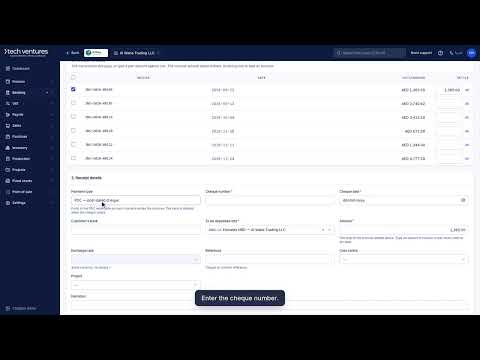
Handle post-dated cheques in Accounting Intelligence: record a cheque received from a customer on a receipt voucher with the PDC payment type, its number, its date and the customer's bank, so the invoice is settled and the amount waits in the PDC receivable account; then on the cheque's date deposit it and clear it, which moves the money to the bank.
VAT and reports
 1:49
Prepare the VAT 201 return
Prepare the UAE VAT 201 return in Accounting Intelligence: set the tax period, read the output and input boxes split by emirate, open any box to see the invoices and bills behind it, check that the return agrees with the VAT control accounts in the ledger, and export or print it before entering the figures on EmaraTax.
 1:51
Profit and loss, balance sheet and trial balance
Read the financial statements in Accounting Intelligence: profit and loss for any period, narrowed by cost centre or project, with every figure opening the ledger behind it; the balance sheet as at a date, with its check that assets equal liabilities plus equity; and the trial balance with debits and credits side by side. Each exports to Excel or prints as a PDF.
 1:37
Receivables and payables ageing
Read the ageing reports in Accounting Intelligence: receivables ageing under Sales and payables ageing under Purchase, each customer or vendor's open balance split into current and days past due, as at any date, with every figure opening the invoices and entries behind it. Each exports to Excel or prints as a PDF.
 1:29
Close a period
Close an accounting period in Accounting Intelligence: close a month once its entries are checked, so nothing more can be posted with a date in it, reopen it if something must still be put right, close the year to post its profit to retained earnings, and open the next year.
 1:39
VAT reconciliation
Reconcile VAT in Accounting Intelligence before you file: for any period, output and input VAT per the ledger's VAT accounts, per the VAT 201 return and per the e-invoices sent and received, side by side, with a note saying whether they agree and how much of any gap is VAT on sales not yet sent, and the documents behind it.
 2:09
Cash flow statement and monthly report
Read the cash flow statement in Accounting Intelligence: money in and out of every bank and cash account for a period, split into operating, investing and financing activities by what each movement was for, from the opening to the closing balance, checked against the ledger. Then the monthly results: the profit and loss month by month across the financial year, with a chart of income and expenses and every figure opening the ledger lines behind it.
 1:36
General ledger, day book and drill-down
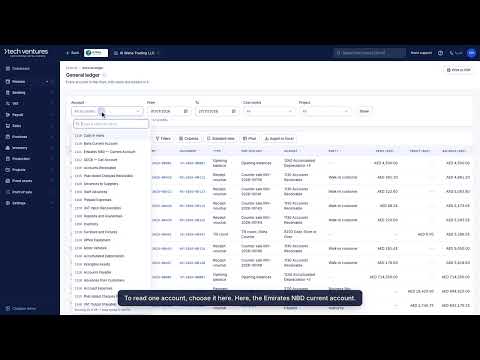
Read the ledgers in Accounting Intelligence: the general ledger, account by account with the balance brought forward and a running balance, narrowed to one account, a period, a cost centre or a project; every line opening the journal entry and the document behind it; and the day book, every journal entry in date order with all of its lines. Both can be searched, filtered, exported to Excel or printed.
 1:43
Export a report to Excel and save a custom view
Every list and report in Accounting Intelligence has the same tools: search, filters, columns you choose, sorting, saved views and Export to Excel. This guide shapes the sales invoice list into a view of unpaid invoices, adds the VAT column, filters by the amount outstanding, sorts by due date, saves it as a view you can open again, and exports exactly what is on screen to an Excel workbook.