Onboarding with us
Link your taxpayer to Tech Ventures on EmaraTax
E-invoicing in the UAE runs through an accredited service provider, and the Federal Tax Authority asks you to name yours on EmaraTax. This is that, screen by screen. It takes a few minutes and is done once per taxpayer.
Our ASP ID105700Techventures Information Technology Services L.L.C.
Before you start
- Your EmaraTax sign-in — UAE PASS, or the username and password registered with the Authority.
- The taxpayer's TIN: the first ten digits of its VAT registration number.
- The e-mail address registered with EmaraTax. The linking request is checked against it.
A VAT group is onboarded one company at a time: each taxpayer in the group is linked separately.
The steps on EmaraTax
- 1
Step 1
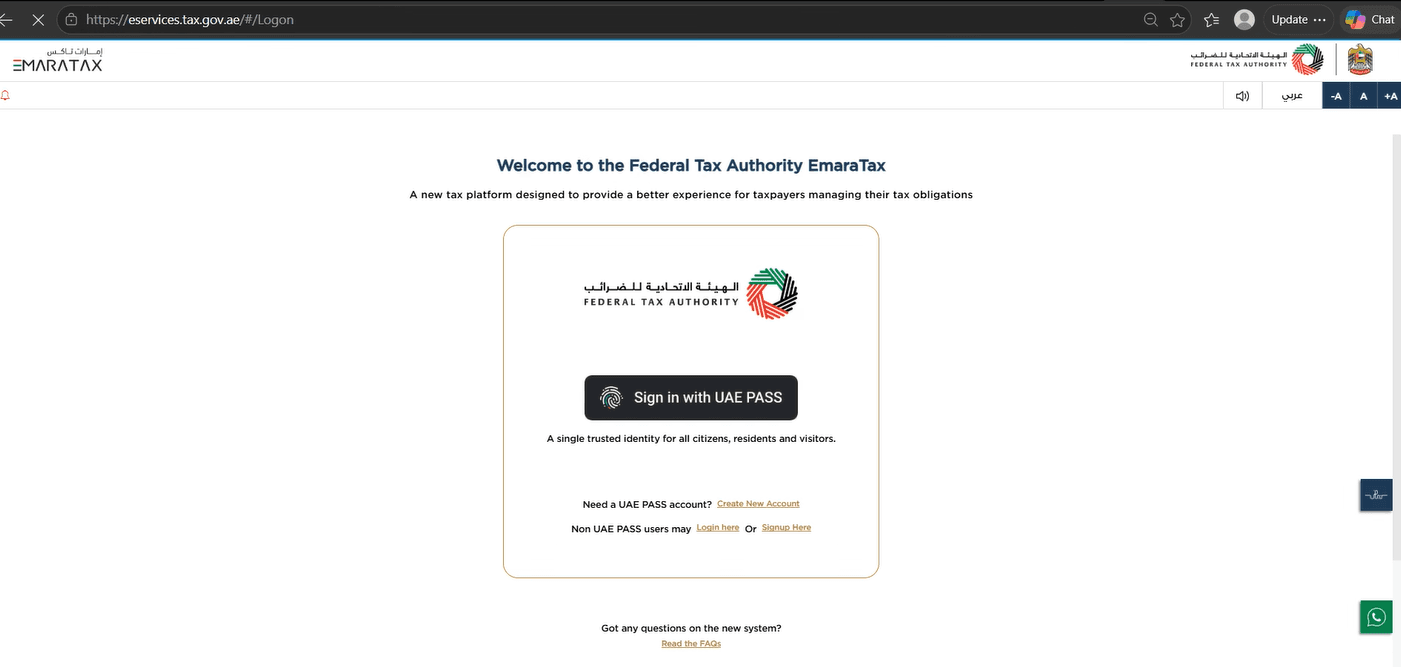
Open the EmaraTax portal
Go to eservices.tax.gov.ae and sign in with UAE PASS, or with the username and password registered with the Authority.
- 2
Step 2
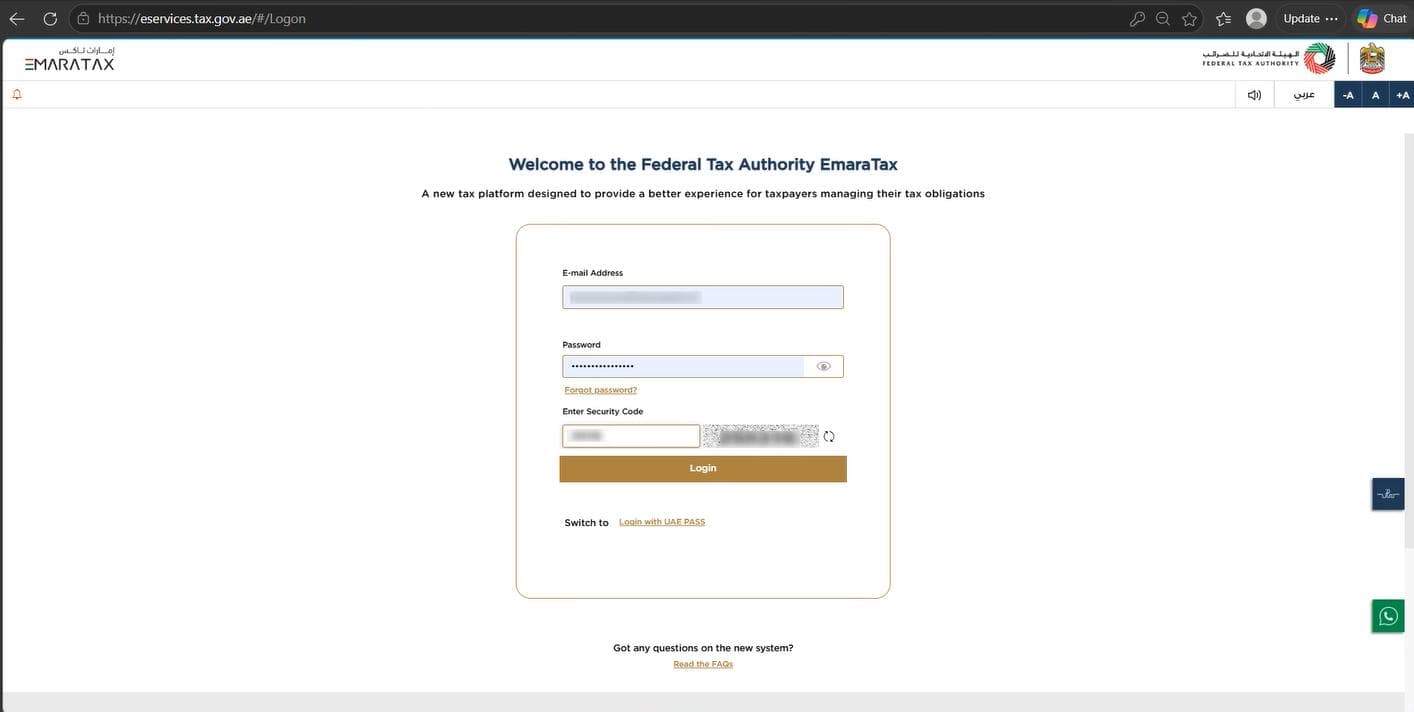
Enter your credentials
Sign in. Once you are through, EmaraTax shows the taxable persons your account can act for.
- 3
Step 3
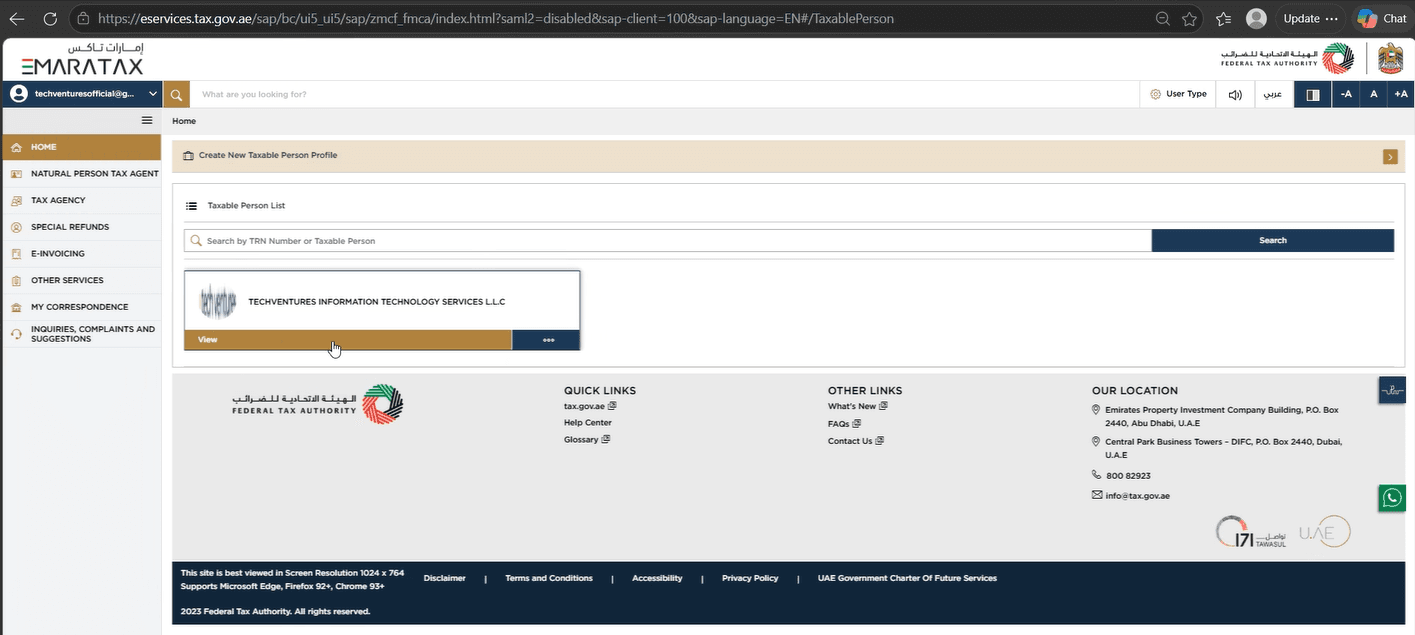
Choose the taxpayer
Pick the company to onboard. Where companies are registered under a VAT group, each one is onboarded on its own.
- 4
Step 4
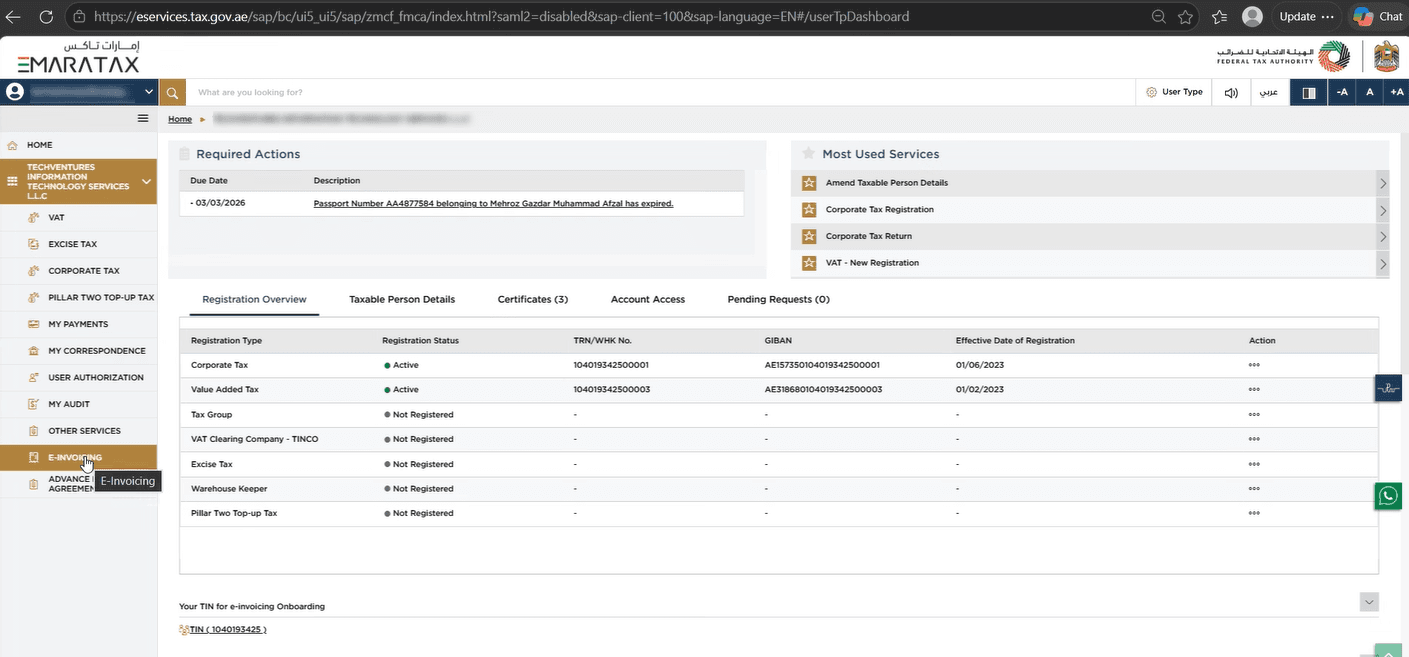
Open E-Invoicing
Choose E-Invoicing in the menu down the left of the taxpayer's dashboard.
- 5
Step 5
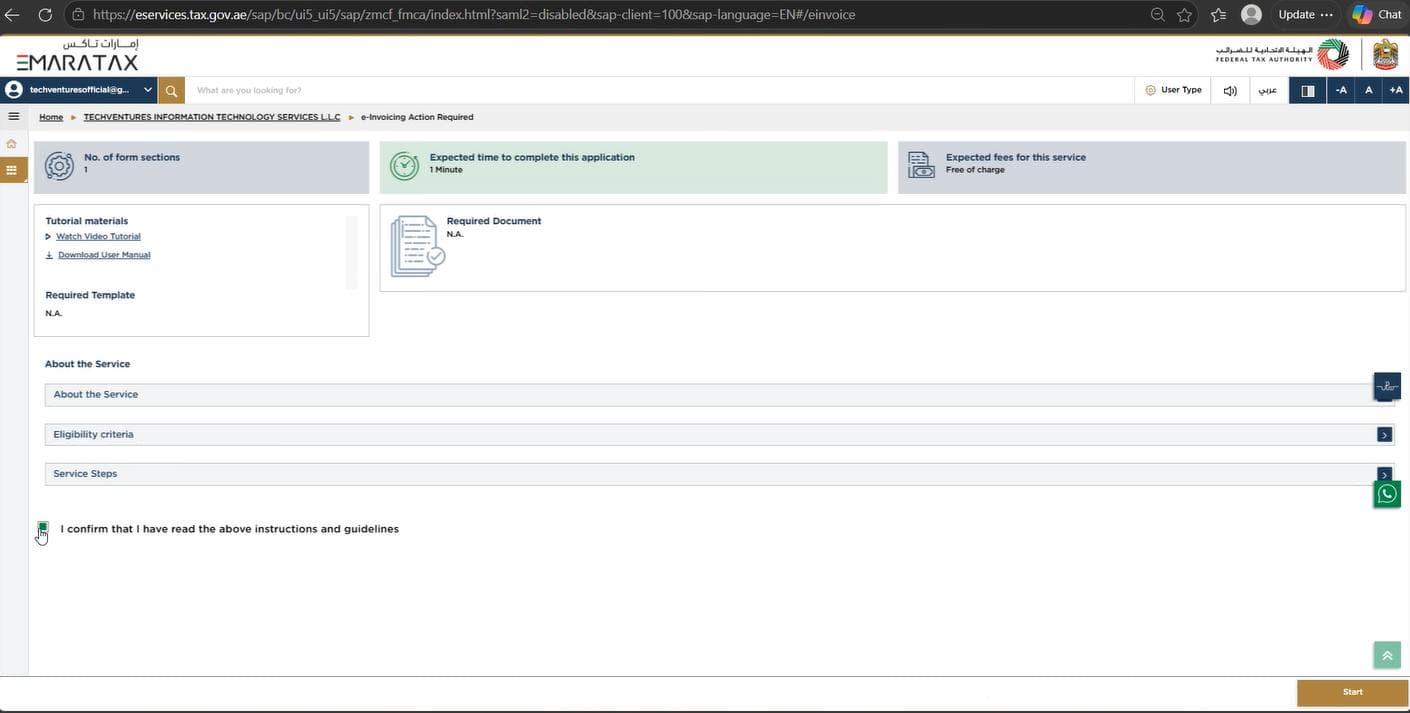
Tick the box and start
Tick the confirmation under the company, then press Start.
- 6
Step 6
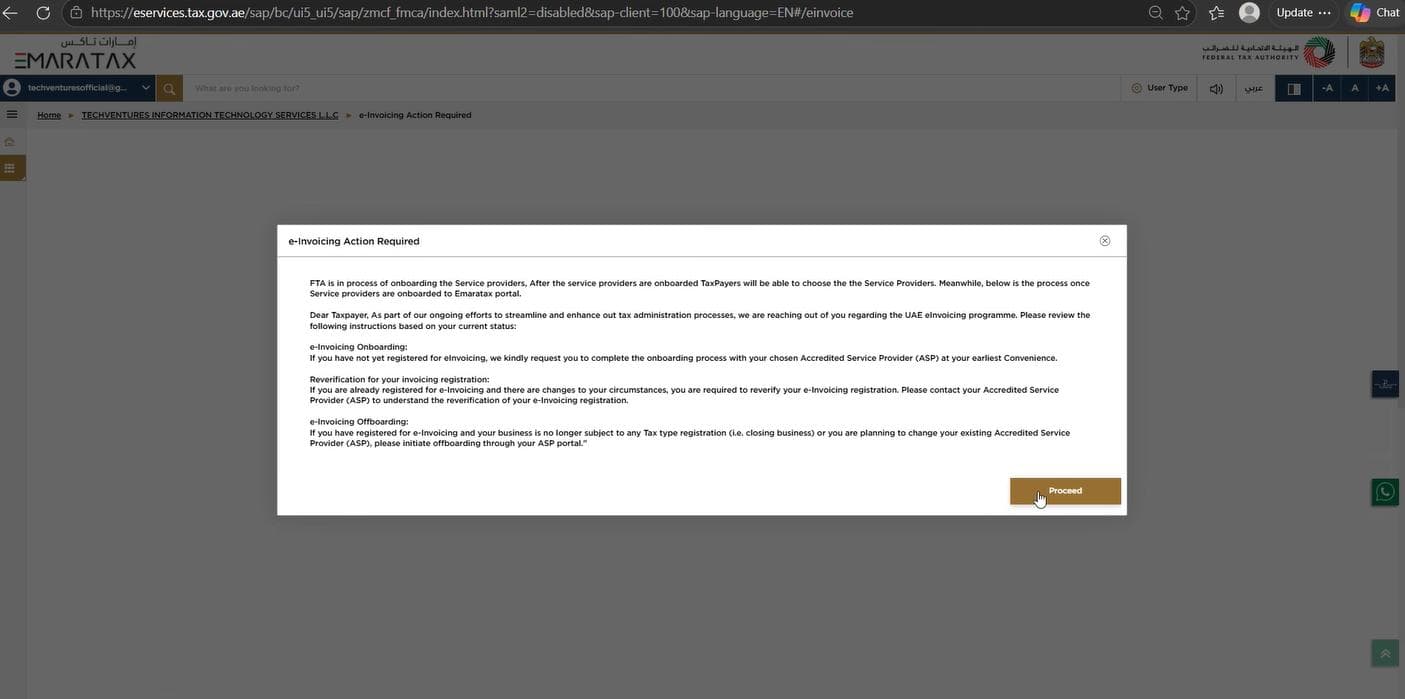
Read the disclaimer and proceed
The Authority shows what onboarding commits you to. Press Proceed to go on to the list of providers.
- 7
Step 7
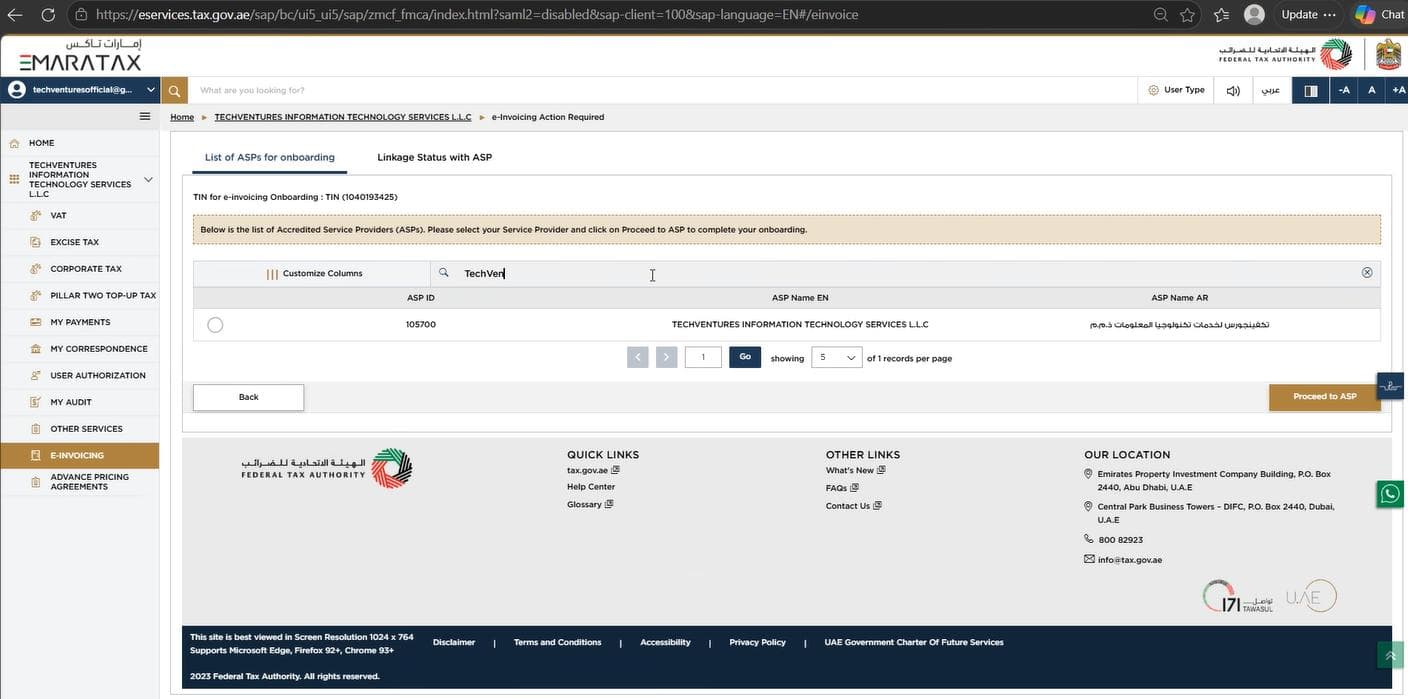
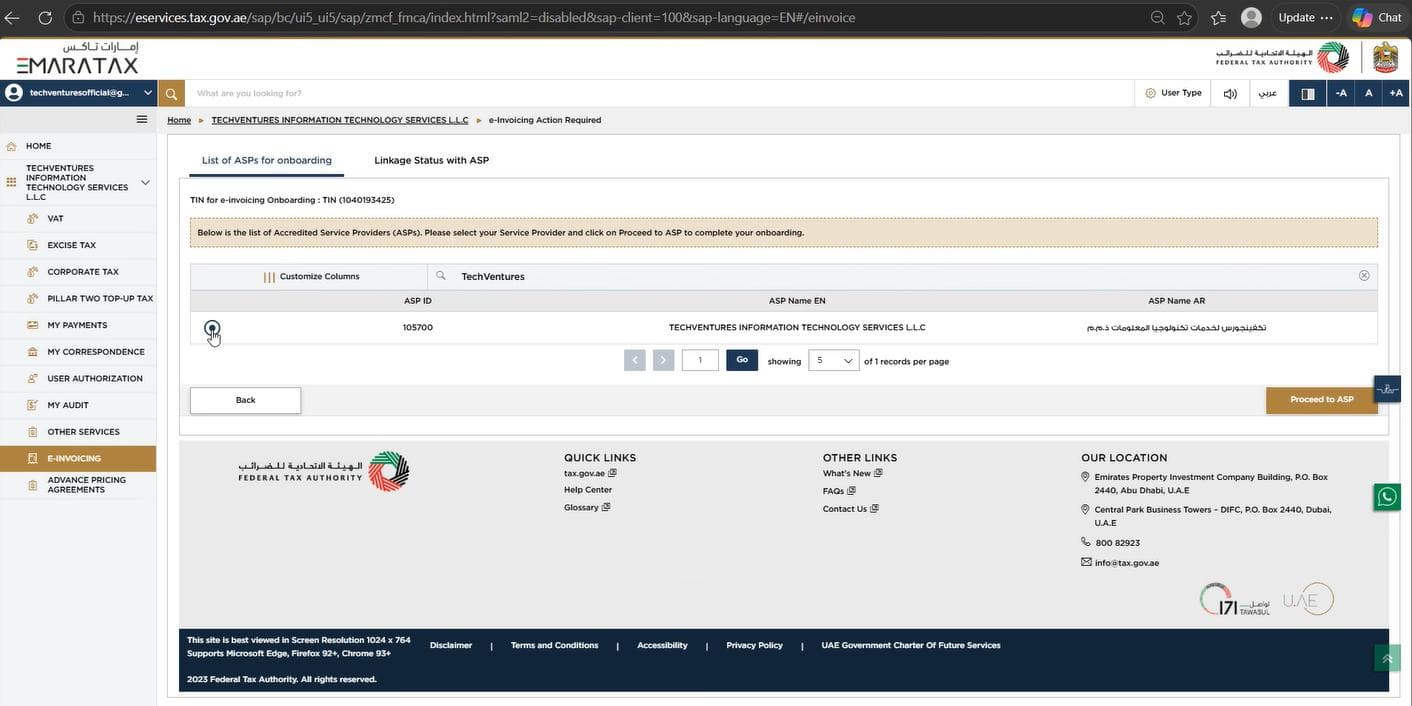
Find us in the list of providers
The accredited service providers are listed. Search for Techventures, or for our ASP ID, 105700.
- 8
Step 8
Select us and proceed
Choose the button beside our name, then press Proceed to ASP.
- 9
Step 9
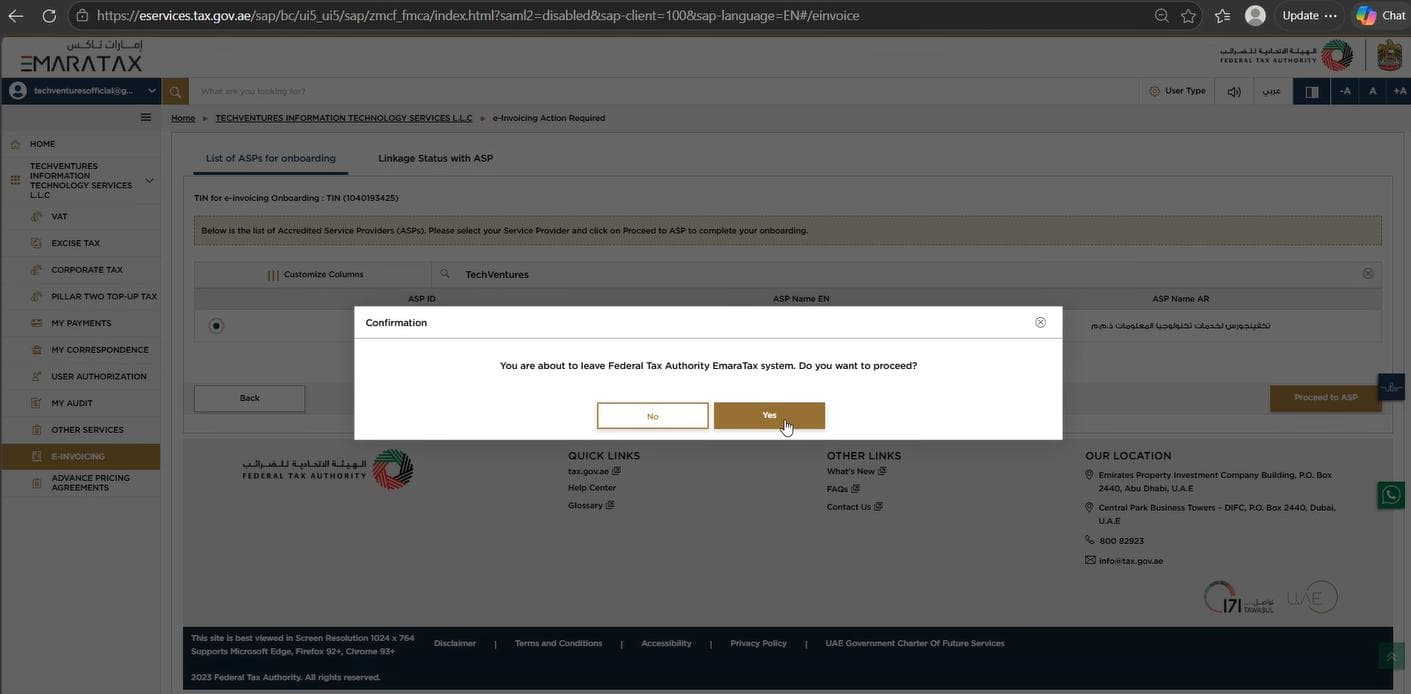
Confirm the choice
A confirmation appears. Press Yes.
- 10
Step 10
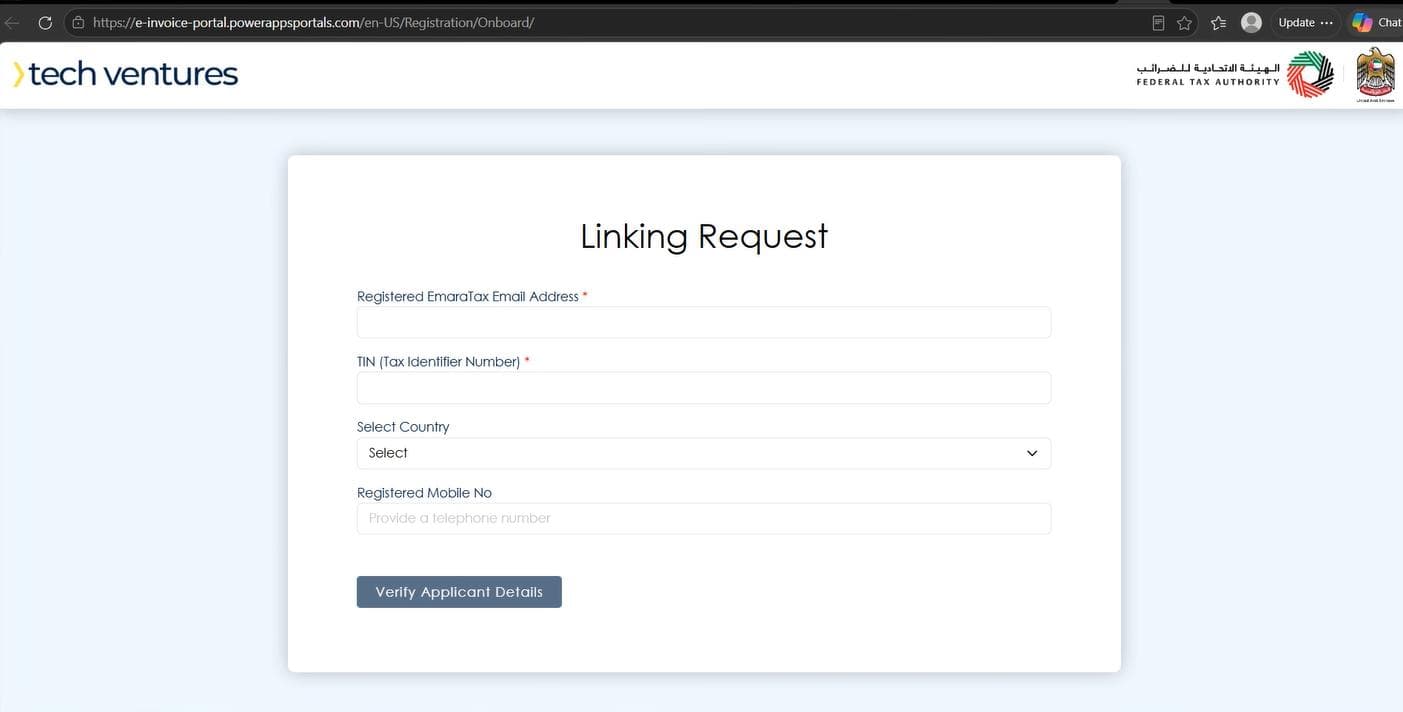
The linking request opens
EmaraTax opens the linking request for Tech Ventures, with our details already filled in.
- 11
Step 11
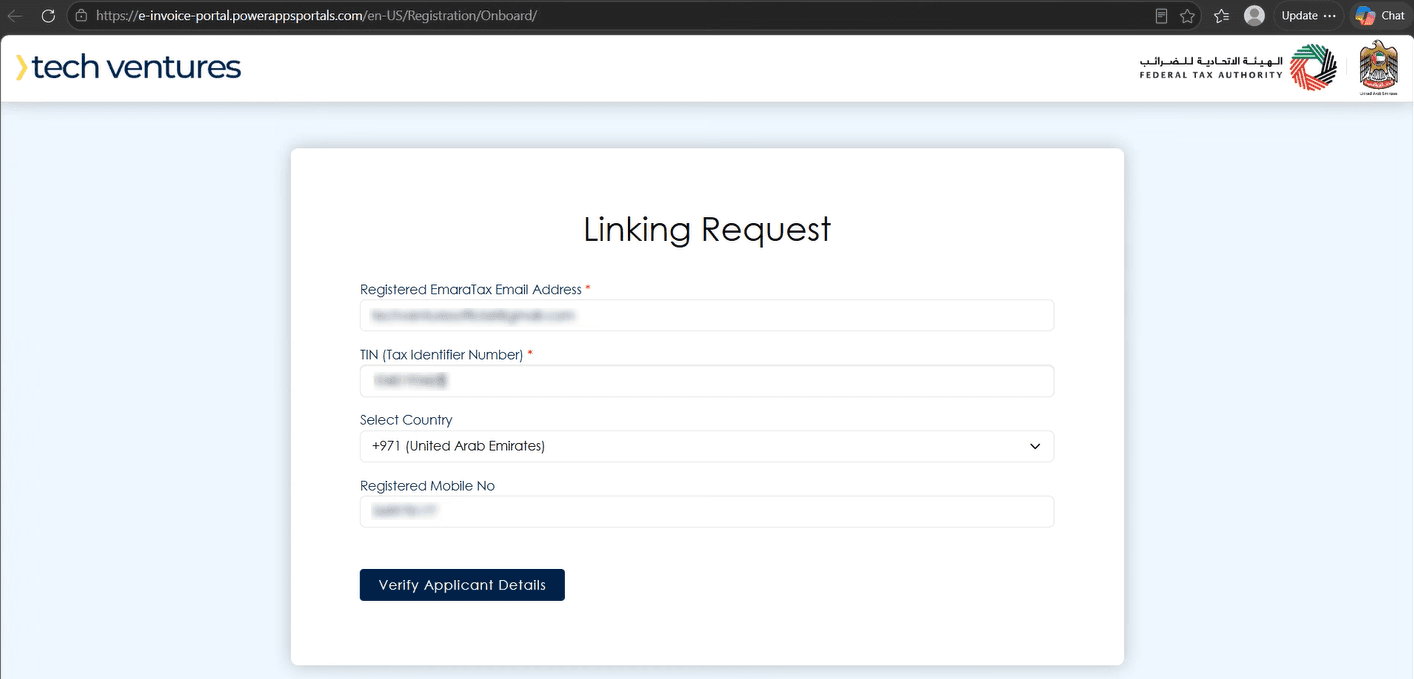
Enter the applicant's details
Fill in each field. The e-mail address must be the one you sign in to EmaraTax with, and the TIN is the first ten digits of the VAT registration number — it is also on the provider list. A country code and mobile number are optional; if you give them, give the ones registered with EmaraTax. Then press Verify Applicant Details.
- 12
Step 12
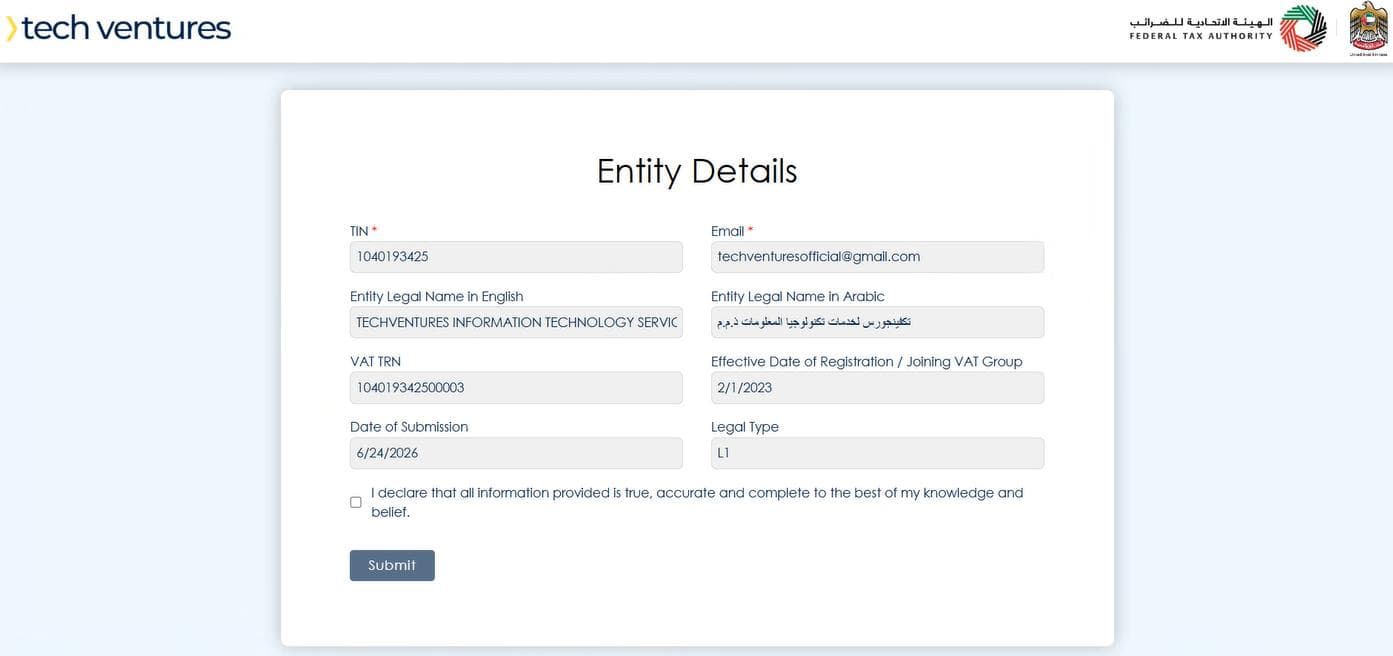
Check what comes back
The details held by EmaraTax are filled in, along with the date the registration takes effect. Read them before going on.
- 13
Step 13
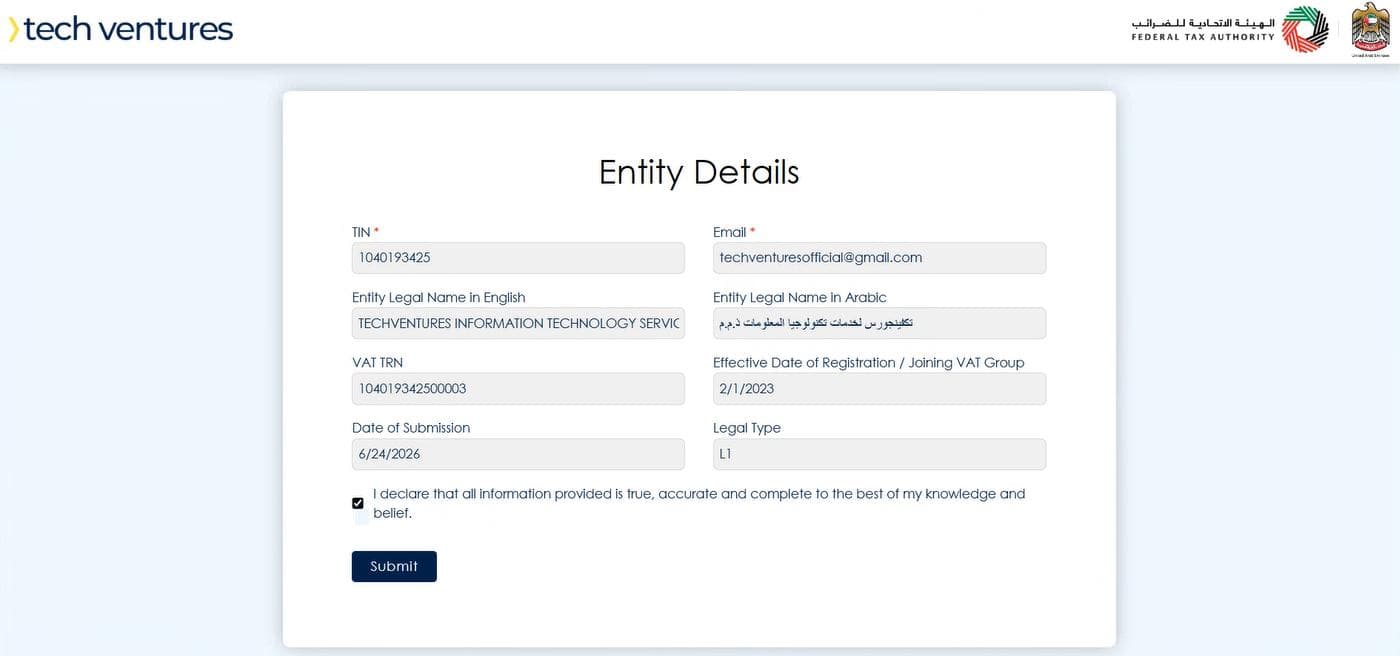
Declare and submit
Tick the declaration and press Submit.
- 14
Step 14
Linked
EmaraTax confirms the linkage. You are onboarded with us, and we can file for this taxpayer.