
Record a receipt
Record money received from a customer into a bank or cash account, settle their invoices with it, and hold anything extra on account.
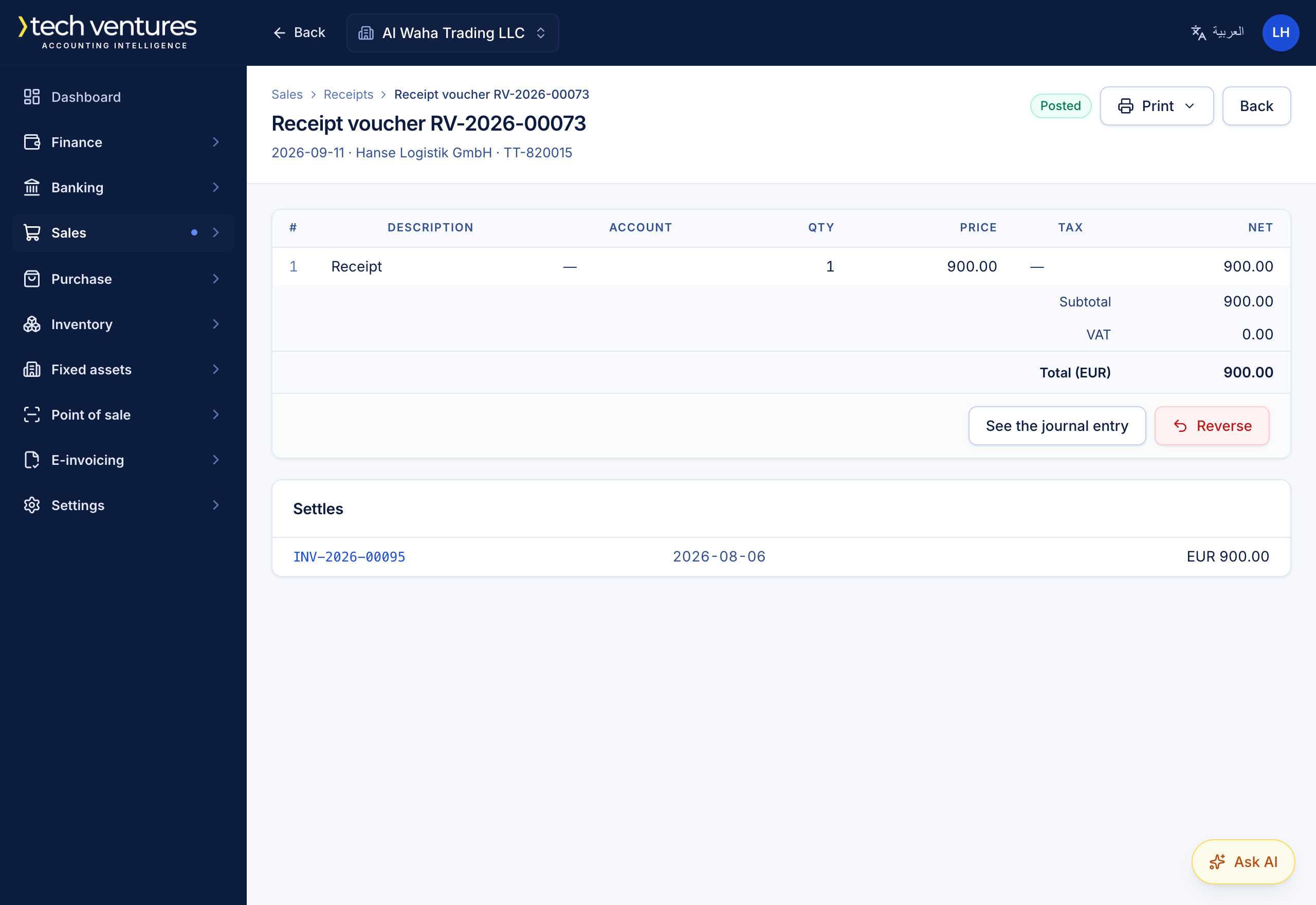
A receipt voucher records money a customer has paid you and says which of their invoices it settles. Posting it debits the bank or cash account the money went into and clears the customer's receivable. Money over and above the invoices is held on account, ready to be set against a later invoice.
Before you start
- The customer's sales invoices are posted.
- The bank account or cash box the money went into exists.
- You hold the Accountant or Sales role, or higher.
Record the receipt
The quickest way: on the Sales invoices list, tick the invoices that were paid and choose Receive payment for these. The receipt opens with the customer, the currency and each invoice settled in full. Ticked invoices must be one customer's and in one currency.
To start from scratch:
- Go to Sales › Receipts or Banking › Receipts and choose New receipt voucher.
- 1. Customer — choose the Customer, and check the Currency and Date. Their outstanding invoices in that currency are listed next.
- Credits on account — if the customer has credit notes or earlier receipts not yet used, you can Apply one to an invoice first, so this receipt covers only the rest. Applying posts nothing.
- 2. Invoices to settle — tick each invoice this pays, or type a part amount against one. Settle every invoice in full ticks them all.
- 3. Receipt details — choose the Payment type: Bank or cash, or PDC — post-dated cheque.
- Choose the Bank or cash account the money went into.
- The Amount follows the invoices settled. Type a larger amount to receive more than they come to; the extra is held on account.
- Add the Reference, such as the transfer or cheque number, and a Narration.
- Choose Save draft, Save and preview, or Post voucher.
Under the details the receipt says what it will do: settle the invoices in full, leave part of one outstanding, or hold an amount on account.
Fields
| Field | What to enter |
|---|---|
| Customer | Who paid. |
| Currency | The currency the money came in. Only invoices in that currency are listed. |
| Date | The date the money arrived. It must fall in an open period. |
| Invoices to settle | The invoices it pays, and how much of each. A receipt cannot settle more than an invoice still owes. |
| Payment type | Bank or cash for money received now. PDC — post-dated cheque for a cheque dated later; see post-dated cheques. |
| Cheque number, Cheque date, Customer's bank | For a post-dated cheque only. |
| Bank or cash account | Where the money went. For a cheque, To be deposited into. |
| Amount | What was received. |
| Exchange rate | For a foreign currency: the rate for the date. |
| Reference | The cheque or transfer reference. |
| Cost centre, Project | Optional, and any of your own dimensions. They go on every line the receipt posts. |
| Narration | A note for the journal entry. |
What it posts
For a receipt of AED 1,050.00 settling one invoice:
| Account | Debit | Credit |
|---|---|---|
| Bank account | 1,050.00 | |
| Accounts receivable (the customer) | 1,050.00 |
Money held on account is credited to the customer's receivable too, without an invoice behind it.
Foreign currency. The receivable is cleared at the rate the invoice was posted at, and the bank is debited at the receipt's rate. The difference is posted as a realised exchange gain or loss in the same entry. For a USD 1,000.00 invoice booked at 3.6725 and received at 3.6700, the receivable is cleared by AED 3,672.50, the bank receives AED 3,670.00, and AED 2.50 is an exchange loss.
By post-dated cheque, the debit goes to the PDC receivable account instead of the bank. The bank is debited when the cheque clears.
Send it
A posted receipt can be sent to the customer by email with Send, as a link they can read and save as a PDF, or printed with Print.
Statuses
| Status | Meaning |
|---|---|
| Draft | Saved, not posted. The invoices it is to settle are kept with it. |
| Awaiting approval | Sent for approval, where the company requires it. |
| Approved | Ready to post. |
| Posted | In the ledger. Its invoices are settled. |
| Reversed | Undone by a mirror entry. The invoices it settled are owed again. |
| Cancelled | Called off with Cancel draft before it was posted. It keeps its number and is never posted. |
Where approval is asked for — an approval workflow for receipt vouchers, or the company setting Require approval before posting — a draft receipt has Send for approval in the box under its form. Without a workflow, an approver can Approve it or Send back to draft; under a workflow, the approver uses Approve or Reject.
Correct or cancel it
Before it is posted, a receipt that is not wanted can be called off with Cancel draft in the box under its form (in the footer of its page once it is Awaiting approval or Approved), then confirm. It keeps its number, shows Cancelled and is never posted.
A posted receipt cannot be edited. If it was wrong, choose Reverse: a mirror entry is posted and the invoices it settled are open again. Then enter it correctly. A receipt by post-dated cheque is undone from the cheque instead, by cancelling it or marking it bounced.
Related articles
- Create a sales invoiceBill a customer for goods or services, post it to receivables, income and VAT, and send it as a UAE e-invoice.
- Post-dated chequesTake or give a cheque dated later, hold it in a PDC account, then deposit, clear, bounce or cancel it, with the books following each step.
- Reconcile a bank accountTick a bank account's ledger off against the bank's statement, match imported statement lines, post bank charges, and complete when the difference is nothing.
- Create a sales credit noteReduce what a customer owes for goods returned or a charge reduced, reverse the income and VAT, and bring returned stock back.