
Add an asset to the register
Record an asset on the register with its cost, life and depreciation method, then bring its cost into the books through a purchase invoice or opening balances.
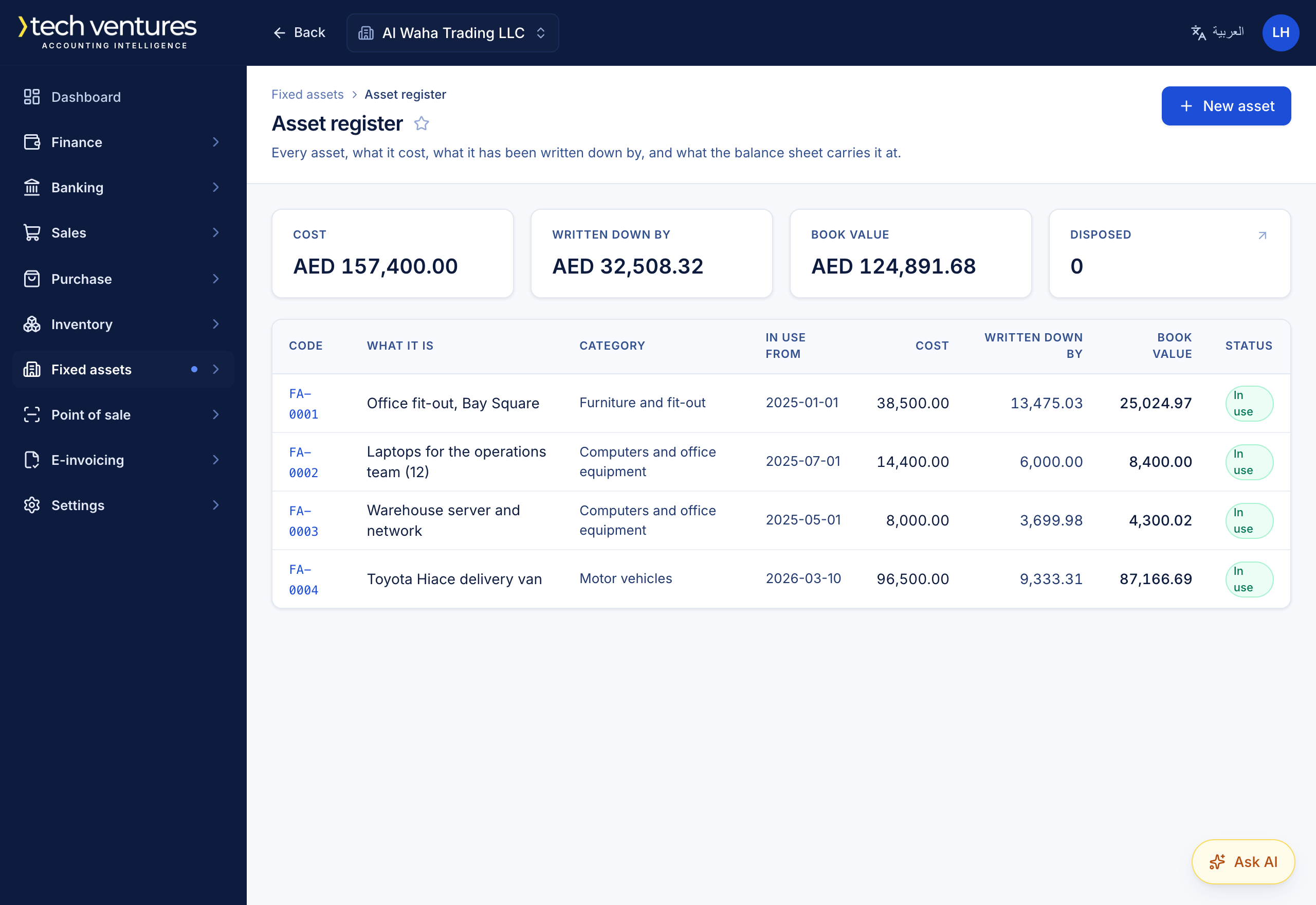
The Asset register lists every asset the company owns: its cost, what it has been written down by, and its book value. Adding an asset with New asset registers it and decides how it is depreciated. It posts nothing: the cost reaches the books separately, normally through the supplier's purchase invoice. That keeps the purchase, its VAT and the vendor's balance on the invoice where they belong, and stops the cost being booked twice.
Use New asset for:
- an asset bought on a supplier's invoice — register it, then post the invoice with a Fixed Asset line that names it;
- an asset the company already owned when it started using the app — register it with what it has already been written down by, and bring the balances in as opening balances.
For an asset with no supplier's invoice, use an acquisition instead, which registers the asset and posts its cost in one step.
Before you start
- At least one asset category exists. With none, New asset offers to create one first.
- You hold the Accountant role or higher.
Create the asset
- Go to Fixed assets › Asset register and choose New asset.
- Leave Code blank to number it from Settings › Codes, or type your own.
- Enter What it is and choose the Category.
- Enter Bought on and First used. Depreciation starts in the month of First used.
- Enter the Cost. Leave Residual value blank to take the category's percentage of the cost.
- For an asset brought in mid-life, enter what it has Already written down by.
- Check Method, Useful life, months and Rate, % a year. They start blank and follow whichever category you chose: Method reads From the category, and a blank life or rate takes the category's. Set any of them only when this asset differs from its category.
- Optionally fill in Serial or registration, Where it is, Cost centre, Project and Notes, and choose Create.
- Post the cost. On the supplier's purchase invoice, set the line Type to Fixed Asset and choose this asset. The line posts to the category's cost account.
Important
Until the purchase is posted, the register holds a cost the ledger does not. The register then shows The register and the ledger disagree, with the difference for each cost account, and a disposal of any asset on that account is refused until the two agree.
Fields
| Field | What to enter |
|---|---|
| Code | Blank to number it automatically from Settings › Codes. Must be unique. |
| What it is | The asset's name, such as Delivery van — Toyota Hiace. |
| Category | Decides the accounts it posts to. |
| Serial or registration | A serial number or vehicle registration. |
| Bought on | The date it was acquired. |
| First used | The month depreciation starts. It cannot be before Bought on. A charge is a whole month: an asset first used on 25 March is charged for March. |
| Cost | What it cost, before VAT. |
| Residual value | What it is expected to fetch at the end of its life. It is never written below this, and cannot be more than the cost. Blank takes the category's percentage. |
| Already written down by | Depreciation charged before this system had the asset, so it does not start again from full cost. |
| Method | From the category (the default), Straight line or Reducing balance. A method you choose here is always used, whatever the category's own method. |
| Useful life, months | How many months it is depreciated over. The last month of the life takes whatever is left. Blank takes the category's useful life. |
| Rate, % a year | Used by reducing balance only. Blank takes the category's rate. |
| Where it is | A location. Shown only if locations exist. |
| Cost centre / Project | Carried onto its depreciation expense, so the charge lands on the right cost centre and project. Shown only if they exist. |
| Notes | Anything worth keeping with the asset. |
How the charge is worked out
- Straight line: (cost − residual value) ÷ useful life, rounded to the fil, every month. A van costing AED 120,000.00 with a residual value of AED 12,000.00 over 60 months is charged AED 1,800.00 a month.
- Reducing balance: the yearly rate ÷ 12, applied to cost less everything written off so far. At 25% a year, the first month on AED 120,000.00 is AED 2,500.00, and each month after is a little less.
Both methods stop at the residual value, and both end at the useful life: the final month charges whatever remains down to the residual value.
What it posts
Nothing — registering an asset is a record, not a transaction. The cost is posted by the purchase invoice, an acquisition, or your opening balances.
Statuses
| Status | Meaning |
|---|---|
| In use | On the register and depreciating. |
| Fully depreciated | Written down to its residual value. No further charge. |
| Disposed | Sold or scrapped. Its cost and depreciation are off the books. |
Correct it
- Before it has been depreciated: open it from the register and change any field.
- After its first charge: the cost, category, residual value, already written down, method, life, rate and first used date are fixed, because the charges already posted were worked out from them. The name, serial, location, cost centre, project and notes can still be changed. To change the cost, post an adjustment.
- A disposed asset cannot be edited.
The asset page also lists Charged so far: every month charged, its charge, the book value after it, and a link to the journal entry.
Related articles
- Acquire an assetRegister an asset that arrives without a supplier's invoice and post its cost from a bank or cash account, or as owed to a vendor, in one step.
- Create a purchase invoiceRecord a vendor's bill and post it to expenses or inventory, input VAT and payables, including reverse charge on imported services.
- Enter opening balancesRecord where the books stood on the day you start keeping them here, account by account and customer by customer, as one posted opening entry.
- Run depreciationPreview and post a month's depreciation across every asset in use as one journal entry, and reverse it correctly if it was wrong.