
Balance sheet
What the company owns and owes as at a date — assets, liabilities and equity, including the profit not yet closed to retained earnings.
The balance sheet shows the company's position on one date: what it owns, what it owes, and what belongs to its owners. A balance sheet is always cumulative — it adds up everything posted from the very first entry to the date you choose — so it takes one date, not a range.
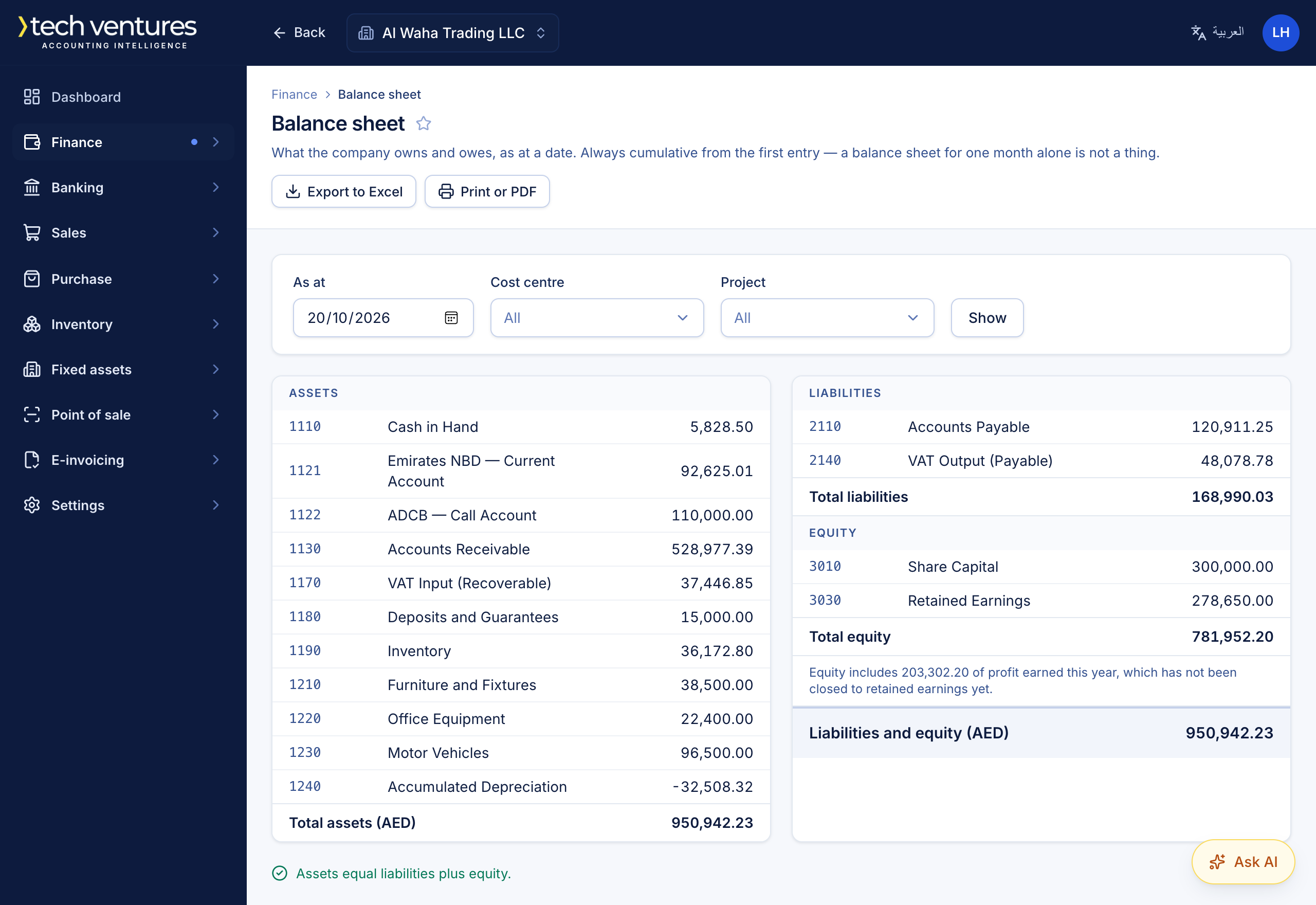
Run it
- Go to Finance › Balance sheet.
- Set As at. It starts at today.
- Optionally choose a Cost centre or Project (see the note below).
- Choose Show.
Read it
| Section | What is in it |
|---|---|
| Assets | Every asset account with a balance. Total assets. |
| Liabilities | Every liability account with a balance. Total liabilities. |
| Equity | Every equity account with a balance, plus Profit for the year while it has not been closed. Total equity. |
| Liabilities and equity | Liabilities plus equity. |
Under the two sides the report confirms Assets equal liabilities plus equity.
Profit for the year is all income less all expenses not yet moved to retained earnings. A note under equity gives the amount. Once you close the fiscal year, that profit is part of Retained Earnings and the line goes.
Choose any amount to open the general ledger for that account, from the first entry up to the As at date.
Note
A balance sheet filtered by cost centre or project will not balance unless every line of every entry carries that cost centre or project. That is normal — VAT, receivables and bank lines are rarely tagged — and why the filter is more useful on the profit and loss.
Export and print
Choose Export to Excel or Print or PDF. The print-out shows the date it is as at.
Related reports
- Trial balance — every account, debit or credit.
- Cash flow — how the cash and bank balances moved.
Related articles
- Profit and lossIncome, cost of sales, gross profit, operating expenses and net profit for any period, for the whole business or one cost centre or project.
- Trial balanceEvery account with a balance on one page, as a net debit or credit, with the proof that the books add up and a link from each figure to its ledger.
- Close the fiscal yearMove the year's income and expenses into retained earnings in one entry, lock the year, and start the next one with a clean profit and loss.
- Cash flowMoney in and out of every bank and cash account over a period, sorted into operating, investing and financing activities, and agreed to the ledger.