
Find and run a report
Find any of several hundred ready-made reports by searching or browsing by module, run it over a date range, export it, and star the ones you use.
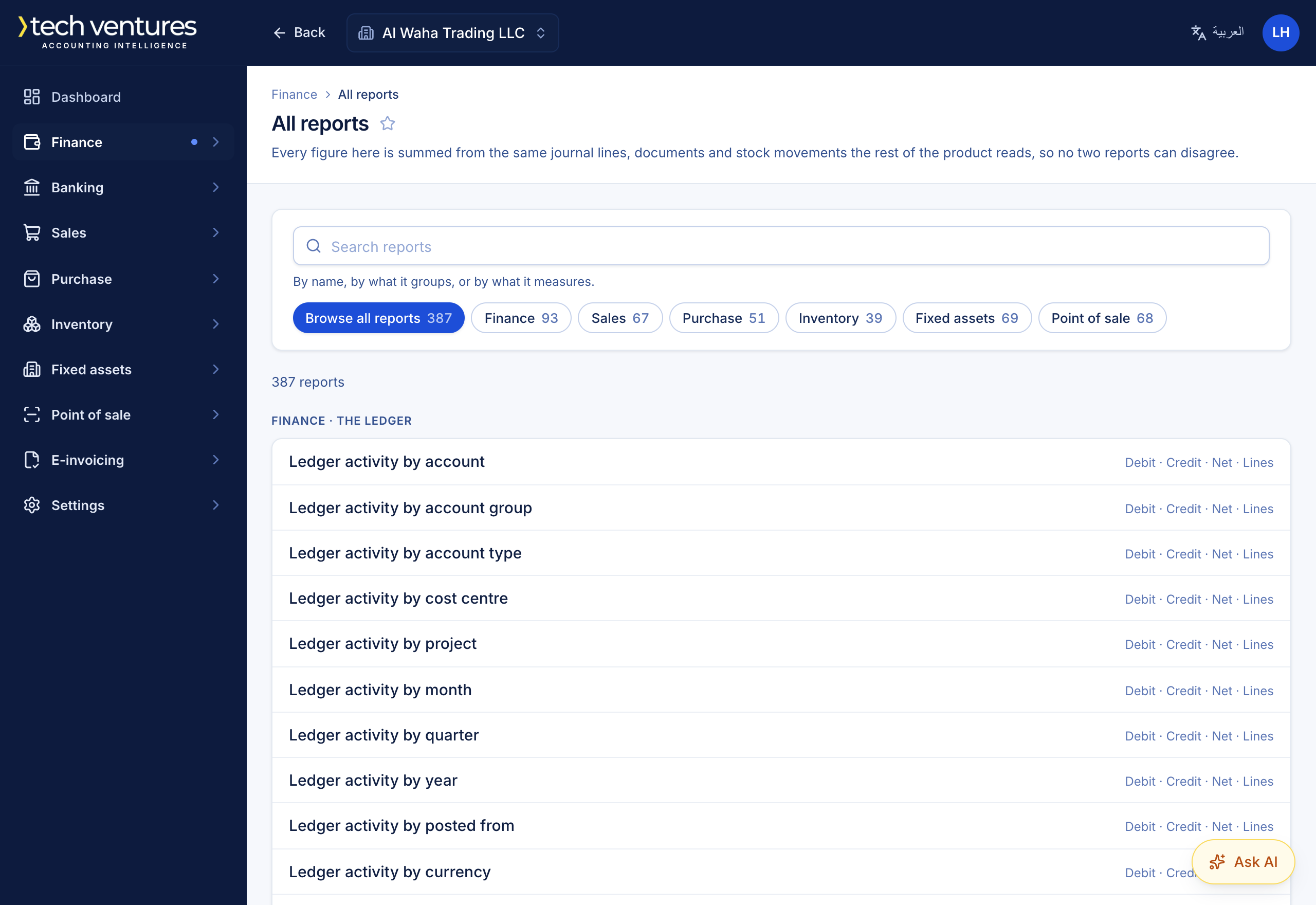
The report catalogue holds several hundred ready-made reports across finance, sales, purchase, inventory, fixed assets and point of sale. Each one totals a subject — ledger activity, income, expenses, cash movement, output tax, sales, stock — by one or two things: by account, by month, by customer, by cost centre and month, and so on. They are all run by the same engine over the same journal lines, documents and stock movements as the rest of the app, so they agree with the financial statements.
Before you start
The catalogue lists only the reports for modules you can use. A report for a module switched off for the company, or outside your role, is not shown.
Find a report
- Open All reports at the bottom of a module's Reports menu — for example Finance › All reports. From a module's menu, you see that module's reports only; choose Browse all reports for the whole catalogue.
- Type in Search reports. You can search by name, by what a report groups by (customer, month, cost centre) or by what it shows (VAT, net).
- In the full catalogue, the buttons under the search narrow the list to one module, each with its count.
- Reports are listed under headings such as The ledger, Results, Position, Cash and VAT and tax. Choose one to open it.
Run a report
- Set From and To. Leave From blank to include everything up to the end date. To starts at today.
- Choose Show.
- Read the rows and the Total line. The line under the title says where the figures come from, such as Read from posted journal lines.
- Choose Export to Excel for a spreadsheet, or Print or PDF.
Very large results are cut off, largest first, and the report says so. Narrow the dates to see the rest. A report with no rows says Nothing in this range — which is not the same as a figure of zero.
Keep your favourite reports to hand
Choose the star beside a report, in the list or on the report itself, to mark it as a favourite. Starred reports are listed under Dashboard in the menu on the left, one click from anywhere. Choose the star again to remove it.
Finance reports in the catalogue
| Heading | Examples |
|---|---|
| The ledger | Ledger activity by account, by account and month, by cost centre, by customer, by posted from |
| Results | Income by account, by month, by customer; expenses by account, by cost centre, by vendor |
| Position | Assets by account group, by quarter; liabilities by account |
| Cash | Cash movement by account, by month, by posted from |
| VAT and tax | Output tax by month or customer, input tax by vendor, taxable sales by tax code |
The financial statements themselves — trial balance, profit and loss, balance sheet, cash flow — have their own pages under Finance › Reports.
Related articles
- DashboardsYour home Dashboard and its Role Center, the counts of what is waiting, quick actions, favourite reports, and the dashboard each module opens with.
- Trial balanceEvery account with a balance on one page, as a net debit or credit, with the proof that the books add up and a link from each figure to its ledger.
- Profit and lossIncome, cost of sales, gross profit, operating expenses and net profit for any period, for the whole business or one cost centre or project.
- LedgersThe eight ledgers the app keeps — general, bank and cash, customer, vendor, VAT, day book, cost centre and project — and how to filter, read and export them.